Fix Your Touch Lamp Sensor: A Simple Troubleshooting Guide
Your touch lamp sensor isn’t working? Don’t worry, you can usually fix a faulty touch lamp sensor with a few simple steps. Often, the issue is just a loose connection or a need for a quick reset.
Many touch lamps rely on these sensors to respond to your touch. When they stop working, it can be frustrating, but the solution is often quite straightforward. We’ve found that most touch lamp problems aren’t major electrical issues, but rather minor glitches.
- Check the power source first.
- Ensure all connections are secure.
- Try a simple reset process.
- Clean the sensor area thoroughly.
- Know when it’s time for professional help.
Let’s walk through some common fixes to get your touch lamp working again.
“`htmlTroubleshooting Your Touch Lamp Sensor
So, your touch lamp suddenly decided to stop responding to your taps? It can be a real bummer when a simple touch is supposed to bring light, and instead, you get… nothing. Don’t despair! Most of the time, fixing a touch lamp sensor is well within your DIY capabilities. We’ve found that many of these issues stem from surprisingly simple causes.
Starting with the Basics: Power and Connections
Before we get into anything fancy, let’s cover the absolute fundamentals. It sounds obvious, but sometimes the simplest fix is the one we overlook.
Is Your Lamp Actually Getting Power?
This is the first thing we always check. Is the lamp plugged in securely? Sometimes, a cord can get bumped loose without you realizing it. Also, make sure the outlet itself is working. You can test this by plugging in another small appliance, like a phone charger or a fan. If that device doesn’t power on, the problem might be with your outlet or circuit breaker, not your lamp.
Checking the Bulb
This might seem a bit off-topic for a sensor issue, but a faulty bulb can sometimes confuse the sensor. If you’ve tried other troubleshooting steps without success, try replacing the light bulb with a brand new one. Make sure it’s the correct wattage and type for your lamp. We’ve seen cases where a bulb that’s about to burn out can cause strange behavior in touch lamps.
Securing All Connections
Touch lamps have internal wiring that connects the sensor to the rest of the lamp’s components. Sometimes, these connections can loosen over time, especially if the lamp has been moved or bumped. This is especially true for the connection between the sensor itself and the main power cord or internal circuitry.
Inspecting the Touch Point
The actual part of the lamp you touch to activate it is key. Ensure there’s no physical damage to this area. Is it cracked, bent, or covered in anything that might be obstructing the contact? Gently wipe down the touch point with a dry or slightly damp (not wet!) cloth. Sometimes, a buildup of dust or grime can interfere with the sensor’s ability to register your touch.
Tightening Internal Wires (If Comfortable)
If you’re comfortable and your lamp allows for easy access to its internal components (often by removing the base or shade), you might be able to visually inspect the wire connections. Look for any wires that appear loose or disconnected from terminals. If you find one, and you’re confident, you can try gently tightening it. Always unplug the lamp before attempting this. If you’re not sure or don’t feel safe, skip this step.
Resetting Your Touch Lamp Sensor
Like many electronic devices, touch lamps can sometimes benefit from a good old-fashioned reset. This is often the magic bullet for a suddenly unresponsive sensor.
The Power Cycle Reset
This is the easiest and most common reset method. Here’s how we usually do it:
- Unplug the lamp. This is crucial! Never work on a plugged-in lamp.
- Wait for at least 30 seconds to a minute. This allows any residual power to dissipate.
- Press and hold the touch point on the lamp for about 10-15 seconds while it’s unplugged. Think of this as draining any lingering electrical “memory.”
- Plug the lamp back in.
- Test the touch sensor.
We’ve found this simple process resolves a surprising number of touch sensor glitches. It’s like giving the lamp a fresh start.
Checking for Overheating
Sometimes, if a lamp has been running for a very long time or has poor ventilation, the internal components, including the sensor, can overheat. This can cause it to temporarily stop working. Let the lamp cool down completely, unplugged, for an hour or more, and then try it again. Ensure the lamp has adequate airflow around it when in use.
Deep Cleaning the Sensor Area
We’ve already touched on a light cleaning, but sometimes a more thorough approach is needed, especially if you live in a dusty environment or have pets.
What to Use for Cleaning
For a deeper clean, you’ll want to use a soft cloth, perhaps slightly dampened with water or a mild, non-abrasive cleaner. Avoid harsh chemicals or abrasive materials, as these can damage the sensor or the lamp’s finish. For stubborn grime, a cotton swab lightly dipped in rubbing alcohol can be effective, but use it sparingly and ensure the lamp is unplugged.
Targeting the Sensor Components
If you can access the sensor more directly (again, with the lamp unplugged!), gently clean around its housing and the contact points. Sometimes, a tiny bit of corrosion or residue can build up. Make sure everything is completely dry before plugging the lamp back in. Moisture and electricity don’t mix well!
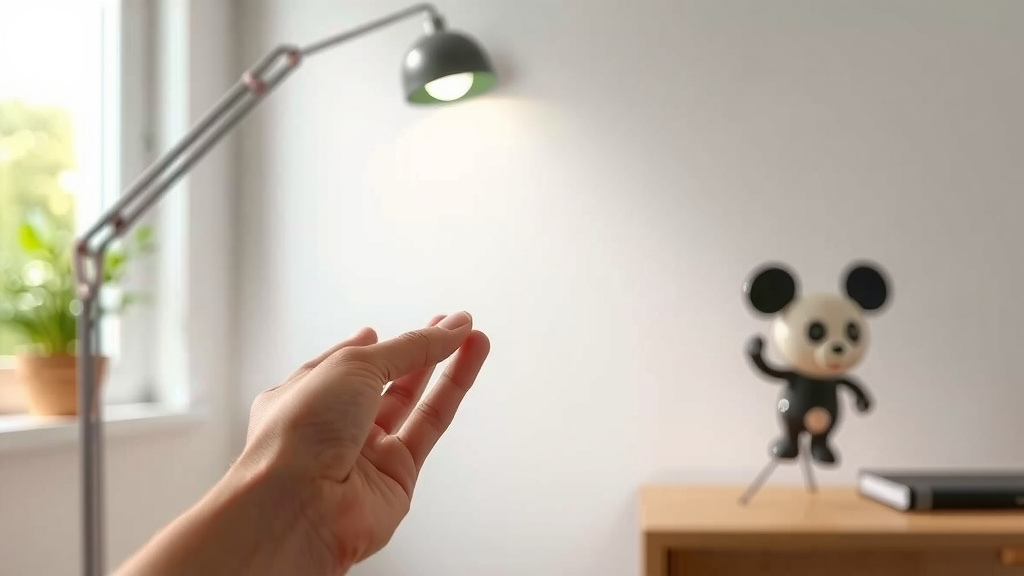
Understanding Your Touch Lamp’s Levels
Many touch lamps have multiple brightness settings, which are controlled by successive touches. It’s worth understanding how your specific lamp operates. Some lamps require a brief, light touch, while others need a more firm, sustained touch to cycle through the settings or turn off.
Interpreting the Touch Sequence
If your lamp turns on but won’t turn off, or cycles through settings erratically, the issue might be with how you’re touching it. Are you accidentally brushing it? Are you touching it for too long or too short a time? We recommend consulting your lamp’s manual if you still have it. It often details the specific touch sequence needed.
When to Seek Professional Help
While most touch lamp sensor issues are fixable, there are times when it’s best to call in an expert or consider replacing the lamp.
Signs It’s Beyond a Simple Fix
If you’ve gone through all the basic troubleshooting steps – checking power, cleaning, resetting, and trying a new bulb – and your lamp still doesn’t work, the internal circuitry might have failed. Electrical components can wear out over time, just like anything else. If you notice any burning smells, flickering lights that aren’t related to the bulb, or if parts of the lamp feel unusually hot, it’s time to stop troubleshooting. These could be signs of a more serious electrical fault.
Considering Lamp Replacement
For older or inexpensive lamps, the cost of professional repair might exceed the price of a new one. If your troubleshooting attempts haven’t resolved the issue, and you’re not comfortable with more advanced electrical work, it might be more practical and safer to invest in a new touch lamp. Many newer models offer energy-efficient LED lighting and a wider range of features.
Quick Checklist for Fixing Your Touch Lamp
Here’s a quick run-through of the most effective steps:
- Unplug your lamp. Always start here.
- Check the power source and test the outlet.
- Try a new light bulb. It’s surprisingly effective.
- Perform a power cycle reset (unplug, wait, touch, plug back in).
- Clean the sensor area thoroughly with a soft cloth.
- Inspect for any obvious loose wires if you feel comfortable doing so.
Conclusion
We know how frustrating a non-responsive touch lamp can be. Fortunately, most issues aren’t serious and can be fixed with simple DIY steps. You’ve learned how to check power, secure connections, and perform a vital reset. Cleaning the sensor can also make a big difference. If you’ve tried these methods and your lamp still isn’t cooperating, it might be time to consider professional help or a new lamp. Don’t give up – you’ve got this!
Frequently Asked Questions
My touch lamp turns on but won’t turn off. What’s wrong?
This often happens if you’re not performing the touch sequence correctly for your lamp. Try a quick, light touch to turn it off, rather than a prolonged press. We also recommend unplugging the lamp for a minute and plugging it back in, as this can reset the sensor’s memory.
Can I use any kind of light bulb in my touch lamp?
It’s best to stick to the wattage and type recommended by the lamp’s manufacturer. While LED bulbs are often compatible, a bulb that’s too powerful or the wrong type can sometimes interfere with the touch sensor’s operation. Always check your lamp’s manual if possible.
How often should I clean my touch lamp sensor?
You should clean your touch lamp sensor whenever you notice it becoming less responsive. For most people, this might be every few months, especially if you live in a dusty area or have pets. A gentle wipe with a dry or slightly damp cloth is usually sufficient.
What if my touch lamp’s base is cracked? Can I still fix it?
If the physical base where the sensor is located is cracked, it can be difficult to repair the sensor’s connection effectively. While you can try cleaning it, a crack might indicate damage to internal components. In this case, it’s often safer and more practical to replace the lamp.
My touch lamp has multiple brightness settings. How do I cycle through them?
Typically, you tap the sensor once for the lowest setting, tap again for the next, and so on. To turn it off, you might need to tap a fourth or fifth time, or sometimes a longer press is required. We found that consulting your lamp’s manual is the best way to understand its specific touch sequence.

![10 Best Affordable Sad Lamps [2026]](https://bestdesklamp.com/wp-content/uploads/2026/09/10-best-affordable-sad-lamps-2026-featured-768x432.jpg)