How Wireless Lamps Work: The Technology Explained
Wireless lamps work by using radio waves or infrared signals to communicate with a receiver. This receiver, often built into the lamp itself or a separate adapter, then tells the lamp when to turn on or off, or to dim. It’s like a secret code between your remote and the light! Think of it as a convenient way to control your lighting without any pesky wires.
Many modern lamps utilize this technology for ease of use. You might have a wireless remote, or even control your lamp using a smartphone app. This often relies on your home Wi-Fi network to send the signals. We found that this setup offers great flexibility for lighting placement. It’s all about making your home smart and user-friendly.
- Wireless lamps use signals like radio waves to work.
- A receiver in the lamp or an adapter gets these signals.
- You can control them with remotes or smartphone apps.
- This technology makes lighting control more convenient.
Ready to banish those tangled cords and embrace effortless illumination? Let’s dive into the details of how these clever devices make your life a little brighter.
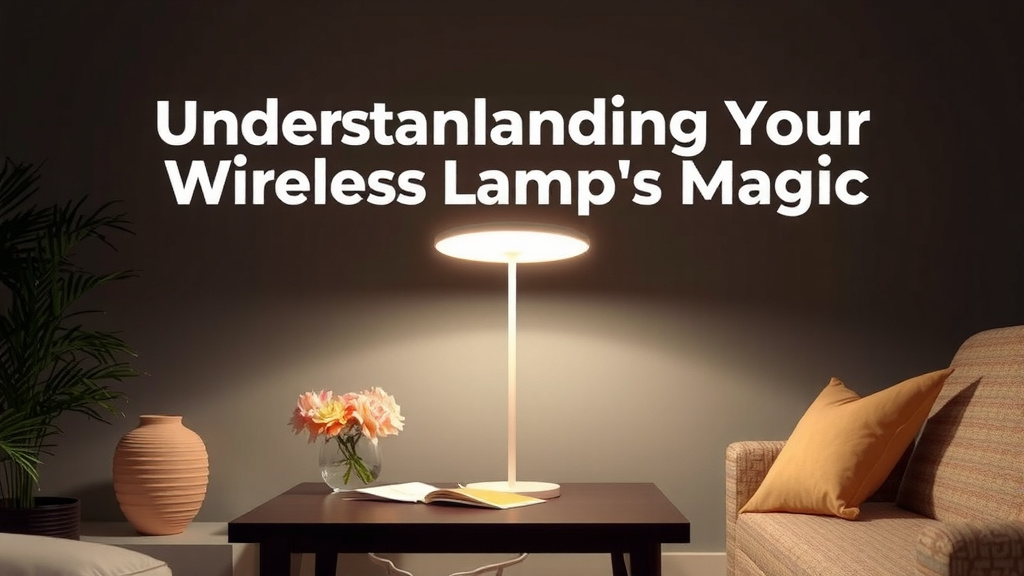
Understanding Your Wireless Lamp’s Magic
So, how exactly does your wireless lamp get the message to turn on or off without a flick of a switch? It’s all about invisible signals. Think of it like a tiny, secret conversation happening between a remote control or a smart hub and your lamp. This conversation happens wirelessly, allowing you to control your lights from across the room, or even from another room entirely. It’s a really **convenient** way to manage your home’s ambiance.
The Brains Behind the Brilliance: Transmitters and Receivers
At its core, a wireless lamp system has two main parts: a transmitter and a receiver. The transmitter is usually part of your remote control, your smartphone app, or a smart home hub. It sends out a specific signal. The receiver is built into the lamp itself, or it might be a separate adapter you plug into a traditional lamp. This receiver is always listening for that specific signal from the transmitter. When it hears it, it knows what to do.
How the Signal Travels: Radio Waves vs. Infrared
There are a couple of common ways these signals travel. The most prevalent methods are radio waves and infrared signals. Radio waves are pretty amazing because they can travel through walls and obstacles. This is why many wireless remotes, like the ones for your TV or garage door, use them. Infrared signals, on the other hand, are more like the beam from a TV remote. They need a clear line of sight between the transmitter and receiver. Many smart bulbs and lamps use Wi-Fi or Bluetooth, which are forms of radio wave communication, to connect.
The Language of Light: Encoding Commands
When you press a button on your remote, the transmitter doesn’t just send a random burst of energy. It sends a specific, encoded signal. This signal is like a unique code that tells the receiver exactly what you want. For example, there’s one code for “turn on,” another for “turn off,” and perhaps a different set of codes for dimming or changing colors. The receiver is programmed to recognize these specific codes. We found that the precision of these codes is what makes the system so reliable.
Different Ways to Command Your Wireless Lights
You have several options for telling your wireless lamp what to do. The method you use often depends on the type of wireless lamp you have. Let’s look at the most common ways you can take control.
The Classic: Dedicated Remote Controls
Many wireless lamps come with their own dedicated remote controls. These are simple, often small, handheld devices. They usually have a few buttons: an on/off button, and possibly buttons for dimming or brightness adjustment. The remote contains the transmitter, and the lamp has the receiver. It’s a straightforward setup that works reliably, especially for basic functions. Many people appreciate the simplicity of just having a physical remote handy.
The Smart Choice: Smartphone Apps and Wi-Fi
As homes become smarter, so do our lamps! Many modern wireless lamps connect to your home’s Wi-Fi network. This allows you to control them using a smartphone app. The app on your phone acts as the transmitter, sending commands over your Wi-Fi. These commands travel to a receiver in the lamp or a separate hub. This offers a lot more flexibility. You can often control brightness, color temperature, and even set schedules or timers, all from your phone. We found that this integration with your home network is a huge convenience.
Bluetooth: A Direct Connection
Some wireless lamps use Bluetooth technology. Unlike Wi-Fi, Bluetooth creates a direct connection between your device (like your smartphone or tablet) and the lamp. You don’t need a Wi-Fi router for this to work. It’s great for controlling lights in a single room or if your Wi-Fi isn’t always the most stable. Bluetooth is also a popular choice for smart bulbs, as it’s energy-efficient. Many experts suggest Bluetooth for its ease of setup and direct control (Consumer Reports). Some wireless lamps use Bluetooth technology, creating a direct connection between your device and the lamp without needing Wi-Fi.
Voice Control: The Future is Here
Who needs a remote when you can just talk? Many Wi-Fi-enabled wireless lamps can be integrated with voice assistants like Amazon Alexa, Google Assistant, or Apple’s Siri. You connect your lamp to your smart home ecosystem, and then you can control it with simple voice commands. “Hey Google, dim the living room lamp to 50 percent” is all it takes. This hands-free control is incredibly convenient, especially when your hands are full. We found this to be the most effortless way to manage lighting.
Powering Your Wireless Lamp
How does the lamp itself get the power to shine, especially if it’s meant to be “wireless”? This is where a little clarity is helpful. Most wireless lamps still need a power source to light up. The “wireless” aspect refers to the control method, not necessarily the power source.
Traditional Plug-In Power
The most common type of wireless lamp is still plugged into a standard electrical outlet. The wire running from the lamp to the wall is for power, not for control. The wireless technology is separate. This allows you to place the lamp anywhere you have an outlet without worrying about switches or control wires. It’s a great blend of traditional power and modern convenience.
Battery-Powered Options
You’ll also find some truly wireless lamps that run on batteries. These are often smaller lamps, like table lamps or accent lights, designed for maximum portability. You charge them up, or replace the batteries, and then you can place them anywhere. This includes areas without nearby outlets, like a patio table or a bookshelf. The battery powers the light, and the internal receiver handles the wireless commands. You’ll also find some truly wireless lamps that run on batteries, perfect for maximum portability.
Here’s a quick checklist to help you understand your wireless lamp:
- Does it plug into the wall for power?
- Does it run on batteries?
- Do you use a physical remote control?
- Do you use a smartphone app?
- Do you control it with your voice?
- What kind of signals does it use (Wi-Fi, Bluetooth, IR)?
Conclusion
You’ve learned that wireless lamps work through radio waves or infrared signals, communicating with built-in receivers. Whether controlled by a dedicated remote, a smartphone app over Wi-Fi, or even voice commands, they offer unmatched convenience. While the control is wireless, remember most still need a plug or batteries for power. Embrace this technology to simplify your home’s lighting and enjoy effortless ambiance. Ready to upgrade? Consider which control method best fits your lifestyle and start enjoying wire-free illumination!
Frequently Asked Questions
Can I use my wireless lamp if the power goes out?
If your wireless lamp is plug-in powered, it will not work during a power outage, just like any other corded lamp. However, if you have a battery-powered wireless lamp, you can still use it as long as its batteries are charged. The wireless control feature will still function.
Will my wireless lamp’s remote work through walls?
Many wireless lamps use radio waves for communication, which can penetrate walls and other obstacles. So, yes, your remote should generally work even if the lamp isn’t in the same room. However, infrared remotes require a clear line of sight and won’t work through walls.
Do I need a special Wi-Fi network for my wireless lamp?
Most Wi-Fi enabled wireless lamps connect to your existing home Wi-Fi network. You typically don’t need a separate or special network. Just ensure your home Wi-Fi is stable and that your lamp is within range of your router.
Are wireless lamps safe to use near my other electronics?
Yes, wireless lamps are designed to be safe. The radio waves or infrared signals they use operate on specific frequencies that don’t typically interfere with other common household electronics like TVs or computers. They are manufactured to meet safety standards.
How do I know if my lamp is battery-powered or needs to be plugged in?
You can usually tell by looking at the lamp. If you see a power cord that plugs into a wall outlet, it’s plug-in powered. If there’s no cord and you see a battery compartment or a charging port, it’s battery-powered. The product manual or packaging will also clearly state the power source.
![10 Best Bed Lamp [2026]](https://bestdesklamp.com/wp-content/uploads/2026/08/10-best-bed-lamp-2026-featured-768x432.jpg)