How Long Distance Lamps Work: The Science Explained
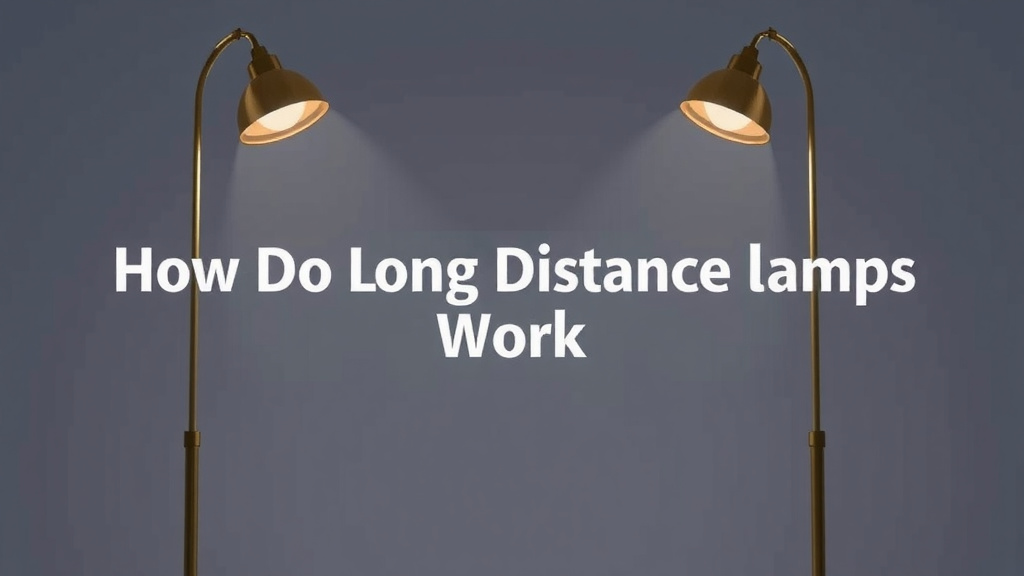
Long distance lamps, often called “friendship lamps” or “connected lamps,” work by using a Wi-Fi connection to send a light signal to another lamp, no matter the distance. When you touch your lamp, it sends a signal through the internet to its paired lamp. The receiving lamp then lights up in a color you choose. It’s a simple yet charming way to send a thought to someone far away.
These unique lamps connect through a dedicated app and your home’s Wi-Fi network. They’re not just about light; they’re about sending a quick message of connection. We found that many people use them to stay in touch with loved ones, like family members living across states or partners in different countries. It’s a modern twist on sending a postcard, offering a visual touch point across miles.
- Long distance lamps connect via Wi-Fi.
- They send light signals to paired lamps elsewhere.
- You choose the color of the light signal.
- They’re a way to send a quick, visual greeting.
- Setup involves Wi-Fi and a companion app.
Ready to see how you can set one up and start sending your own little bursts of light? Let’s break down the process and what makes these lamps so special.
Understanding How Friendship Lamps Connect
So, how do these magical long distance lamps actually work? It’s simpler than you might think! They rely on your existing Wi-Fi network to send a quick burst of light across any distance. Think of them as little messengers, using the internet as their highway.
The Core Technology: Wi-Fi and Apps
At their heart, these lamps are smart devices. They connect to your home’s Wi-Fi signal, just like your smartphone or laptop. Once connected, they can communicate with other paired lamps anywhere in the world that also have internet access.
The magic happens through a dedicated companion app. You’ll typically download this app on your smartphone. This app acts as your control center. It allows you to pair your lamp with another person’s lamp. It also lets you choose the color you want your lamp to glow.
Sending a Signal: The Touch of a Button
Here’s where the “friendship” part really shines. When you want to send a message, you simply tap or touch your lamp. This action tells your lamp to send a signal. This signal travels through your Wi-Fi network to the internet.
The internet then directs that signal to the paired lamp. It’s like sending a tiny email, but instead of words, it’s a color. The destination lamp receives this signal and lights up. The color it glows is the one you selected in the app for that specific connection.
Choosing Your Colors: A Personal Touch
One of the most delightful aspects is color customization. You can often set a unique color for each person you’re connected with. Imagine your partner in another state. You could set their lamp to glow a warm yellow whenever you send them a signal. Your mom could have a calming blue.
This visual cue makes the connection feel more personal. It’s a subtle way to say, “I’m thinking of you right now.” We found that many users really appreciate this ability to assign specific colors. It adds a layer of emotional depth to the simple act of sending light.
What Happens When a Lamp Receives a Signal?
When your lamp receives a signal, it illuminates. The light is usually soft and ambient, not a harsh glare. It glows in the color assigned by the sender. The light might stay on for a short period, perhaps 30 seconds to a minute, before fading off. Some models might offer different settings for light duration.
It’s important to note that these lamps are designed for visual communication. They don’t transmit sound or text messages. The primary function is to provide a visual presence. It’s a way to bridge the physical distance with a simple, warm glow. Many research findings suggest that non-verbal communication can be highly effective in maintaining relationships (National Communication Association).
Setting Up Your Long Distance Lamps: A Step-by-Step Guide
Getting these lamps ready to connect is usually quite straightforward. Most manufacturers aim for an easy setup process. You’ll want to have your Wi-Fi password handy.
Step 1: Unboxing and Powering On
First, unbox your lamp. You’ll find the lamp itself and a power adapter. Plug the adapter into the lamp and then into a wall outlet. The lamp should light up, possibly with a default color or a status indicator. This shows it’s ready to be configured.
Step 2: Downloading the Companion App
Next, you’ll need to download the specific app associated with your brand of friendship lamps. You can find these apps on both the Apple App Store and the Google Play Store. Search for the brand name of your lamps. The app is free to download.
Step 3: Connecting to Your Wi-Fi
Open the app and create an account if prompted. The app will then guide you through connecting your lamp to your home Wi-Fi network. You’ll likely need to select your Wi-Fi network name (SSID) and enter your password within the app. The lamp then uses this information to establish its internet connection.
This connection is key. Without a stable Wi-Fi connection, the lamp can’t send or receive signals. If you have trouble, double-check your Wi-Fi password. You might also want to ensure your router is within a reasonable range. Many experts recommend ensuring your Wi-Fi signal is strong where you plan to place the lamp (Consumer Technology Association).
Step 4: Pairing Your Lamps
Once your lamp is online, you’ll pair it with your loved one’s lamp. The app will have a section for adding or pairing a new device. You might need to scan a QR code, enter a unique code from the other lamp, or simply select the person from a list if they’ve already set up their lamp.
When pairing is successful, both lamps will usually flash or glow a certain color. This confirms they are now linked. You can then assign a color to represent this connection. This is the moment your long distance communication channel is open!
Step 5: Personalizing Your Settings
In the app, you can usually customize further. You can rename the lamps, perhaps “Mom’s Lamp” or “My Love Lamp.” You can also set preferences for how the light behaves. Some apps allow you to set brightness levels or the duration the light stays on.
What You Need for Long Distance Lamps to Work
To ensure your long distance lamps function as intended, a few things are essential.
- A working Wi-Fi network at both locations.
- A compatible smartphone (iOS or Android) for the app.
- The companion app installed on your smartphone.
- Both lamps plugged in and powered on.
- The lamps successfully paired through the app.
Troubleshooting Common Connection Issues
Occasionally, you might run into a hiccup. Here are a few common issues and how to solve them.
Lamp Not Connecting to Wi-Fi
If your lamp won’t connect to Wi-Fi, try restarting your router. Also, ensure you’re entering the correct Wi-Fi password. Some lamps only support 2.4GHz Wi-Fi networks, so check your router settings if you have a dual-band system. We found that simply power cycling the lamp (unplugging it for 30 seconds and plugging it back in) often resolves minor glitches.
Signal Not Reaching the Other Lamp
If you send a signal and the other lamp doesn’t light up, first check if both lamps are online. The app usually shows the connection status. Ensure the internet connection is stable at both ends. Sometimes, a brief internet outage can prevent the signal from going through. Researchers indicate that consistent internet access is vital for smart home devices (Pew Research Center).
App Not Responding
If the app is acting up, try closing it completely and reopening it. If that doesn’t work, try uninstalling and reinstalling the app. Make sure your smartphone’s operating system is up to date. A frozen app can be frustrating, but usually a simple refresh or restart fixes it.
Checklist for Smooth Operation:
- Verify Wi-Fi password accuracy.
- Confirm both lamps are powered on.
- Ensure the companion app is updated.
- Restart your Wi-Fi router if needed.
- Check the app for device connection status.
- Confirm your smartphone has an internet connection.
Conclusion
You’ve now seen how long distance lamps bridge the miles with simple technology. By using your home Wi-Fi, these lamps send a colorful light signal to a paired lamp, no matter how far away it is. This visual connection offers a unique way to send a thought or a greeting. We’ve walked through setup, what you need, and how to fix common issues. The next step is to choose your lamps and start sending light to your loved ones today. Experience this charming way to stay connected!
Frequently Asked Questions
Can I use long distance lamps without Wi-Fi?
No, long distance lamps absolutely require a Wi-Fi connection to work. They use your internet signal to send and receive messages. Without Wi-Fi, the lamps cannot communicate with each other across any distance. Ensure both lamps are connected to a stable internet network.
How many lamps can be paired together?
Typically, a set of long distance lamps is designed to pair two lamps together. Some brands might offer options to create groups or connect more than two lamps, but the core functionality is usually between a pair. Always check the specific product details for group pairing capabilities.
Do the lamps need to be plugged in all the time?
Yes, your long distance lamps need to remain plugged in and powered on to function. They require a constant power source to connect to Wi-Fi and be ready to send or receive signals. Unplugging them will disconnect them from the network.
Can I send different colors to different people if I have multiple sets?
Yes, you usually can! Most apps allow you to pair multiple sets of lamps. You can then assign a unique color to each paired lamp or set of lamps. This lets you easily distinguish who is sending you a light signal.
What is the maximum range for these lamps?
The range of the lamps isn’t limited by physical distance but by internet access. As long as both lamps have a stable Wi-Fi connection and access to the internet, they can communicate. This means they can work across cities, states, or even internationally.

![10 Best Color For Night Lamp [2026]](https://bestdesklamp.com/wp-content/uploads/2026/09/10-best-color-for-night-lamp-2026-featured-768x432.jpg)