How Do Friendship Lamps Work? Full Guide
Friendship lamps work by connecting wirelessly over your Wi-Fi network. When you touch your lamp, it sends a signal to its paired lamp, wherever it is. This makes them a sweet way to stay connected with loved ones far away.
These lamps are designed to bridge distances. They offer a simple, visual way to say “I’m thinking of you.” It’s like sending a warm hug through light. Many people find them a comforting reminder of their bond.
- Friendship lamps connect via Wi-Fi.
- One lamp’s touch signals the other.
- They offer a visual “thinking of you” message.
- Perfect for long-distance relationships.
- Simple to set up and use.
Ready to see how this magical connection happens? Let’s walk through exactly how friendship lamps work, step by step.
Understanding How Friendship Lamps Connect
So, you’re curious about the magic behind these friendship lamps? It’s simpler than you might think! These lamps use your home’s Wi-Fi network to talk to each other. Think of it like a secret language for your lights.
The Wi-Fi Connection: Your Lamps’ Lifeline
First things first, both lamps need to be connected to the internet. You’ll typically use a special app provided by the manufacturer. This app guides you through connecting each lamp to your Wi-Fi. It’s a bit like introducing new friends to your network.
Once connected, your lamps have a direct line to each other. It doesn’t matter if one is across town or across the country. The internet acts as the highway for their messages.
Pairing Your Lamps: A Match Made in Tech Heaven
Before your lamps can send signals, they need to know who they’re talking to. This is where pairing comes in. You usually pair two lamps together through the same app you used for Wi-Fi setup.
The app creates a unique link between your specific lamps. This ensures that when you touch your lamp, it’s *your* loved one’s lamp that lights up, not some random lamp somewhere else!
The Touch That Sends a Message
The core function of a friendship lamp is its touch-sensitive surface. This is the simple, intuitive way you send a signal. It’s designed to be quick and easy, so you can send a message without much effort.
How a Simple Touch Works Wonders
When you gently tap or touch the surface of your lamp, it registers the input. This touch action triggers a small signal. That signal is then sent wirelessly through your Wi-Fi network.
This signal travels over the internet to the paired lamp. It’s like whispering a thought across the miles. The receiving lamp then interprets this signal and responds.
What Happens When the Other Lamp Lights Up
The receiving lamp’s response is usually a gentle glow. You can often choose the color of this glow when you set up the lamps. This means your loved one will see a specific color, perhaps reminding them of a shared memory or inside joke.
The light stays on for a set amount of time, usually a few minutes. It’s a visual cue that lets the recipient know you’re thinking of them. It’s a non-verbal way to say, “Hello!” or “Good morning!”
Beyond the Basic Glow: Advanced Features and Customization
While the basic function is simple, many friendship lamps offer more. You can often customize the experience to make it even more personal.
Color Choices: Painting with Light
Most friendship lamp systems allow you to pick your own colors. You can assign a specific color to your paired lamp. This adds another layer of personalization. Maybe blue means “I miss you,” and green means “Thinking of you today!”
Some advanced models even let you have multiple lamps paired. You could have a whole network of lights! Imagine a lamp lighting up in five different colors, one for each of your best friends.
App Integration: More Than Just Lights
The companion app is often where the real customization happens. Beyond Wi-Fi and pairing, you might find other features. Some apps allow you to schedule light patterns or set reminders.
We found that many apps also offer firmware updates. These updates can improve performance or even add new features over time. Keeping your lamp’s software up-to-date ensures the best experience. Many users appreciate these ongoing improvements.
Setting Up Your Lamps: A Quick Checklist
Getting your friendship lamps ready to go is usually straightforward. Here’s a quick rundown of what to expect:
- Unpack your lamps and accessories.
- Download the manufacturer’s app on your smartphone or tablet.
- Follow the in-app instructions to connect each lamp to your Wi-Fi.
- Use the app to pair your lamp with your loved one’s lamp.
- Choose your desired light colors and any custom settings.
- Test the connection by touching your lamp!
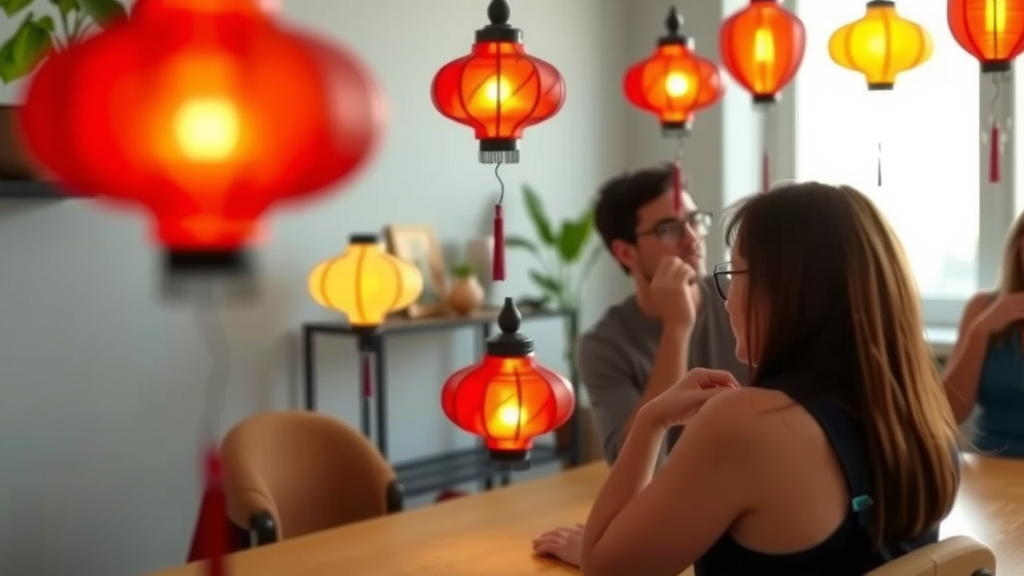
A Visual Bridge for Distances
Friendship lamps are designed to bridge physical gaps. They offer a unique way to maintain a connection. The technology is there to facilitate these emotional connections.
How They Help Long-Distance Relationships
For friends, family, or partners living apart, these lamps can be a real comfort. They provide a tangible, immediate way to share a thought or feeling. It’s not about a long phone call or a detailed text message.
It’s about a quick, silent acknowledgment. A little glow can brighten someone’s day. Many people report feeling more connected to their loved ones after using them. Research on digital communication suggests that frequent, low-effort contact can strengthen bonds.
The Psychology of Light and Connection
Light itself can have a powerful psychological effect. Warm colors are often associated with comfort and happiness. A gentle light can be very soothing. When that light comes from a loved one, it carries even more meaning.
The act of giving and receiving these light signals can create a shared experience. Even when physically apart, you’re both interacting with the same connected system. This shared interaction helps maintain a sense of togetherness.
| Component | Function |
|---|---|
| Wi-Fi Module | Connects the lamp to your home network for internet access. |
| Touch Sensor | Detects when you tap or touch the lamp’s surface. |
| Microcontroller | Processes the touch signal and sends it wirelessly. |
| LEDs | Produce the colored light that signals the other lamp. |
| Power Supply | Provides electricity to operate the lamp. |
Conclusion
You’ve now seen how friendship lamps use simple Wi-Fi and touch technology to create meaningful connections. They’re more than just lights; they’re a visual way to show you care across any distance. By understanding the pairing process and the touch-activated signal, you can appreciate their elegant simplicity. Ready to send a thoughtful glow? Set up your own friendship lamp system today to keep your loved ones feeling close.
Frequently Asked Questions
Do friendship lamps require a constant internet connection?
Yes, both lamps need to be connected to your Wi-Fi network to communicate. This allows them to send and receive signals over the internet, no matter how far apart you are.
Can I use friendship lamps without a smartphone or app?
Typically, you’ll need a smartphone or tablet with the manufacturer’s app to set up and pair your lamps initially. After setup, some models might function without continuous app interaction, but the app is essential for initial configuration.
What happens if my Wi-Fi goes out?
If your Wi-Fi connection is interrupted, the lamps won’t be able to send or receive signals. They will likely remain in their last state until the internet connection is restored.
Can one lamp be paired with multiple other lamps?
Most standard friendship lamp sets are designed to pair two lamps together. Some advanced systems or specific brands might offer options for multi-lamp configurations, but it’s best to check the product details.
How long does the light stay on after I touch my lamp?
The duration the light stays illuminated on the receiving lamp can vary by brand and model. Generally, it stays on for a few minutes, providing a clear visual cue before fading off.
![10 Best Bedside Lamp For Elderly [2026]](https://bestdesklamp.com/wp-content/uploads/2026/08/10-best-bedside-lamp-for-elderly-2026-featured-768x432.jpg)
![10 Way Lamp Socket [2026]](https://bestdesklamp.com/wp-content/uploads/2026/09/10-way-lamp-socket-2026-featured-768x432.jpg)