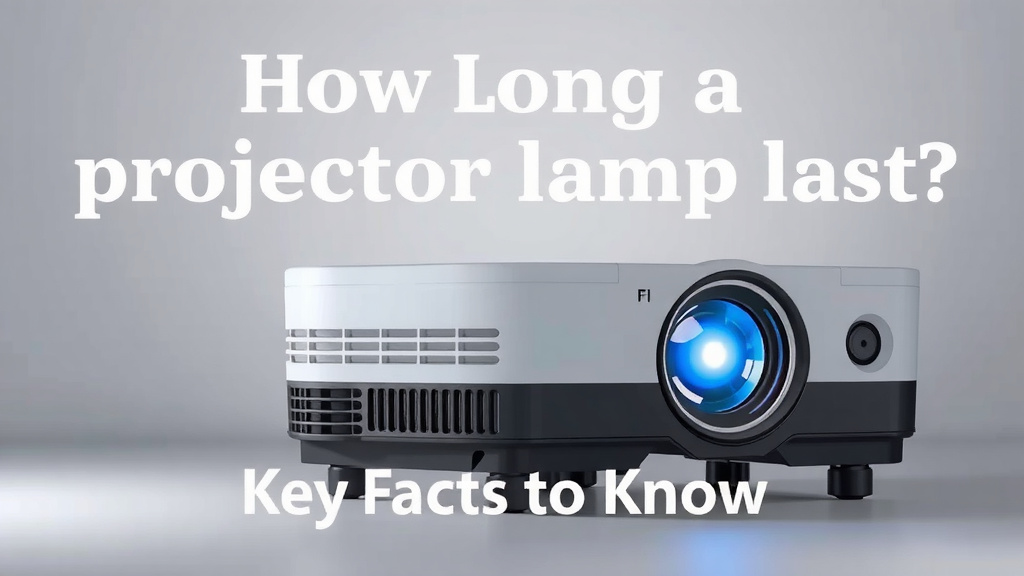
How Long Does a Projector Lamp Last? Key Facts to Know
Most projector lamps last between 1,500 and 5,000 hours. How long does a projector lamp last in real life? It depends on the type — traditional bulbs wear out faster, while LED and laser options can run 20,000 hours or more. That’s the difference between replacing a lamp every year or two and going a decade without thinking about it.
Here’s the thing: how you use your projector matters just as much as what’s inside it. We found that habits like eco mode, proper ventilation, and letting the projector cool down properly can stretch lamp life dramatically. Skip those steps, and you could cut your lamp’s lifespan in half. Ouch.
- A standard projector lamp lasts 1,500 to 5,000 hours on average.
- LED and laser light sources can last 20,000 to 30,000 hours or longer.
- Running eco mode can noticeably extend your lamp’s life.
- Heat is the biggest lamp killer — good airflow matters.
- Warning signs of a dying lamp include dimmer images and color shifts.
So how do you know when your lamp is on its way out, and how can you make it last longer? Below, we break down everything you need to know — no guesswork, no tech degree required. For a closer look at the symptoms, our guide to the signs of a failing projector lamp walks through each warning sign in detail.
Average Lamp Life by Projector Type
The quickest answer: it depends on what kind of light source your projector uses. Traditional bulbs burn out fastest, while newer light sources can outlast the projector itself. We found that knowing your type is the first step to planning replacements (and budgeting for them).
| Lamp Type | Average Lifespan | Typical Cost to Replace |
|---|---|---|
| Standard bulb (UHP/metal halide) | 1,500–5,000 hours | $50–$350 |
| LED light source | 20,000–30,000 hours | Usually built-in |
| Laser light source | 20,000–30,000+ hours | Usually built-in |
Think of it like light bulbs in your house. An old incandescent burns out every few months. An LED bulb might last years. Projectors work the same way.
What Counts as an “Hour” of Lamp Life?
Manufacturers count hours the same way carmakers count miles. It’s an estimate under ideal conditions, not a promise. Your results will vary based on heat, settings, and how often you power on and off.
Why Projector Lamps Burn Out Early
Heat is the main culprit. Every lamp generates serious heat, and trapped heat slowly damages the bulb’s filament and coatings. We found that poor ventilation is behind many early lamp failures.
- Dust buildup blocks vents and traps heat inside.
- Hot rooms make the cooling fan work harder.
- Rapid power cycling stresses the lamp each time.
- High brightness mode pushes the lamp to its limit.
The Power-Off Problem
Here’s a common mistake: unplugging the projector right after a movie. The lamp needs a cool-down period, usually one to three minutes, before losing power. Many experts say skipping this step is one of the fastest ways to shorten lamp life.
It’s like pulling a casserole out of the oven and shoving it straight into the freezer. The sudden temperature change is rough on the components inside.
Quick Cooling Checklist
- Let the fan run until it shuts off on its own.
- Don’t unplug during the cool-down window.
- Never cover the vents while it’s running or cooling.
- Clean the air filter every one to three months.
- Leave at least a few inches of clearance around the unit.
- Store the projector somewhere dry and dust-free.
Eco Mode: The Easiest Lamp Saver
Eco mode (sometimes called “low power” or “whisper mode”) drops the lamp’s brightness a little to cut heat and stress. We found that many manufacturers claim eco mode can extend lamp life noticeably — often by a decent percentage, though exact gains vary by model.
Unless you’re watching in a bright, sunny room, you probably won’t miss the lost brightness. In a dark home theater, eco mode looks nearly identical. Flip it on and let your lamp breathe.
Other Settings That Help
Beyond eco mode, a few small tweaks add up. Turn off the projector when you step away for more than 20 minutes. Avoid using the lamp’s “bright” or “dynamic” picture mode as your default. And if your model has an auto power-off timer, set it.
Signs Your Projector Lamp Is Dying
Lamps rarely die with a pop. They fade. If you know what to watch for, you can order a replacement before your movie night turns into a slideshow of nothing.
- Dimmer image — the picture looks washed out even at full brightness.
- Color shifts — whites look yellow, or colors seem dull and off.
- Flickering — the image blinks or pulses, especially at startup.
- Longer startup — the lamp takes extra time to reach full brightness.
- Warning indicator — a lamp light on the projector turns on.
- Shuttering or popping — the image cuts out briefly during use.
One caution: dimness isn’t always the lamp. It can also mean a dirty lens, a clogged filter, or a failing ballast. Clean the filter and lens first before buying a new lamp. It costs nothing.
How to Check Your Lamp Hours
Most projectors track lamp usage in the settings menu. Look for “Lamp Hours” or “Lamp Usage” under system information or a maintenance tab. Some projectors also let you set a reminder at a certain hour count, which is handy if you use the machine daily.
If your projector does 2,000 hours a year, do the math on replacement costs. It might make a laser or LED model the smarter buy.
Replacing a Projector Lamp Yourself
Good news: swapping a lamp is usually a five-minute job. Most lamps sit under a small access panel on the bottom or side of the projector. You unscrew the cover, release a latch, pull the module, and slide in the new one. No tools beyond a small screwdriver in most cases.
Tips for a Smooth Swap
Buy the exact lamp model listed in your manual — or a certified compatible version. Off-brand bargain lamps can fail early or even damage the projector. We found that many experts recommend sticking with genuine or certified parts.
Also, don’t touch the glass part of a new lamp with bare fingers. Skin oils create hot spots on the bulb. Hold it by the housing or use a soft cloth.
Safe Disposal
Old lamps contain small amounts of mercury, so don’t toss them in household trash. Many communities accept projector lamps at hazardous waste drop-offs or through retailer recycling programs. Check your local guidelines before disposal (EPA).
Do LED and Laser Projectors Really Avoid This?
Mostly, yes. LED and laser light sources don’t use a filament or arc the way traditional lamps do, so they degrade far more slowly. Their rated lifespans of 20,000 hours and up mean years of heavy use before any meaningful dimming.
The catch? They still lose brightness over time — just gradually. And if a laser or LED unit does fail, you can’t usually swap it yourself. You’d be looking at a repair or a new projector. For heavy users, though, the math still favors them.
Which One Makes Sense for You?
If you watch a few movies a month, a traditional lamp projector is affordable and easy to maintain. If you run a classroom, a business, or a near-daily home theater, a laser or LED model will likely cost less over its lifetime. Fewer replacements, less downtime, no lamp-hunting.
Final Habits That Stretch Lamp Life
Small routines make a real difference. Research and manufacturer guidance consistently point to the same few habits:
- Use eco mode whenever the room is dark enough.
- Clean filters on a regular schedule — set a phone reminder.
- Allow full cool-down before unplugging or moving the unit.
- Vacuum vents gently every few months.
- Avoid rapid restarts — give it a minute between off and on.
Treat your lamp like the engine oil in a car. A little attention now saves you real money later, and your picture stays bright for every movie night.
Conclusion
So, how long does a projector lamp last? Most traditional bulbs give you 1,500 to 5,000 hours, while LED and laser sources can stretch past 20,000 hours. But here’s the good news: you have more control than you might think. Running eco mode, keeping vents clear, and letting the fan finish its cool-down cycle can add serious life to your lamp. Watch for dimming, color shifts, and flickering so you’re never surprised mid-movie. Check your lamp hours in the settings menu this week — then set a filter-cleaning reminder and flip on eco mode. Your lamp (and your wallet) will thank you.
Frequently Asked Questions
Can I keep using a projector after the lamp hours run out?
Yes, but expect a dimmer, duller picture. Many lamps keep working past their rated hours before failing completely. We found it’s smart to have a replacement on hand once you approach the limit, so movie night doesn’t end early.
Does turning the projector on and off a lot shorten lamp life?
It can. Each power cycle puts stress on the lamp as it heats up and cools down. If you’re stepping away for less than 20 minutes, leaving it running may actually be gentler than shutting it off and restarting.
Is it cheaper to replace a lamp or buy a new projector?
It depends on your model and usage. For a $300 projector, a $150 lamp replacement is a tough call, especially if the unit is aging. For higher-end machines, replacing the lamp almost always beats buying new. We found the sweet spot is comparing lamp cost to about half the projector’s current price.
Do projector lamps lose brightness even before they die?
They do. Lamps fade gradually, and most people don’t notice until they compare against a newer unit. If your image suddenly looks dimmer than you remember, check the lamp hours before blaming your settings or screen.
Can I use a generic or compatible lamp instead of an official one?
You can, but be picky. Certified compatible lamps from reputable sellers are usually fine, while cheap no-name bulbs often burn out fast or run hot. We found that reading recent buyer reviews matters more than the brand name on the box.